Maranatha Flow
A Windows presentation system built for churches: operators can find, arrange, and project song lyrics and Bible passages from one focused application.
One service plan, two purpose-built screens.
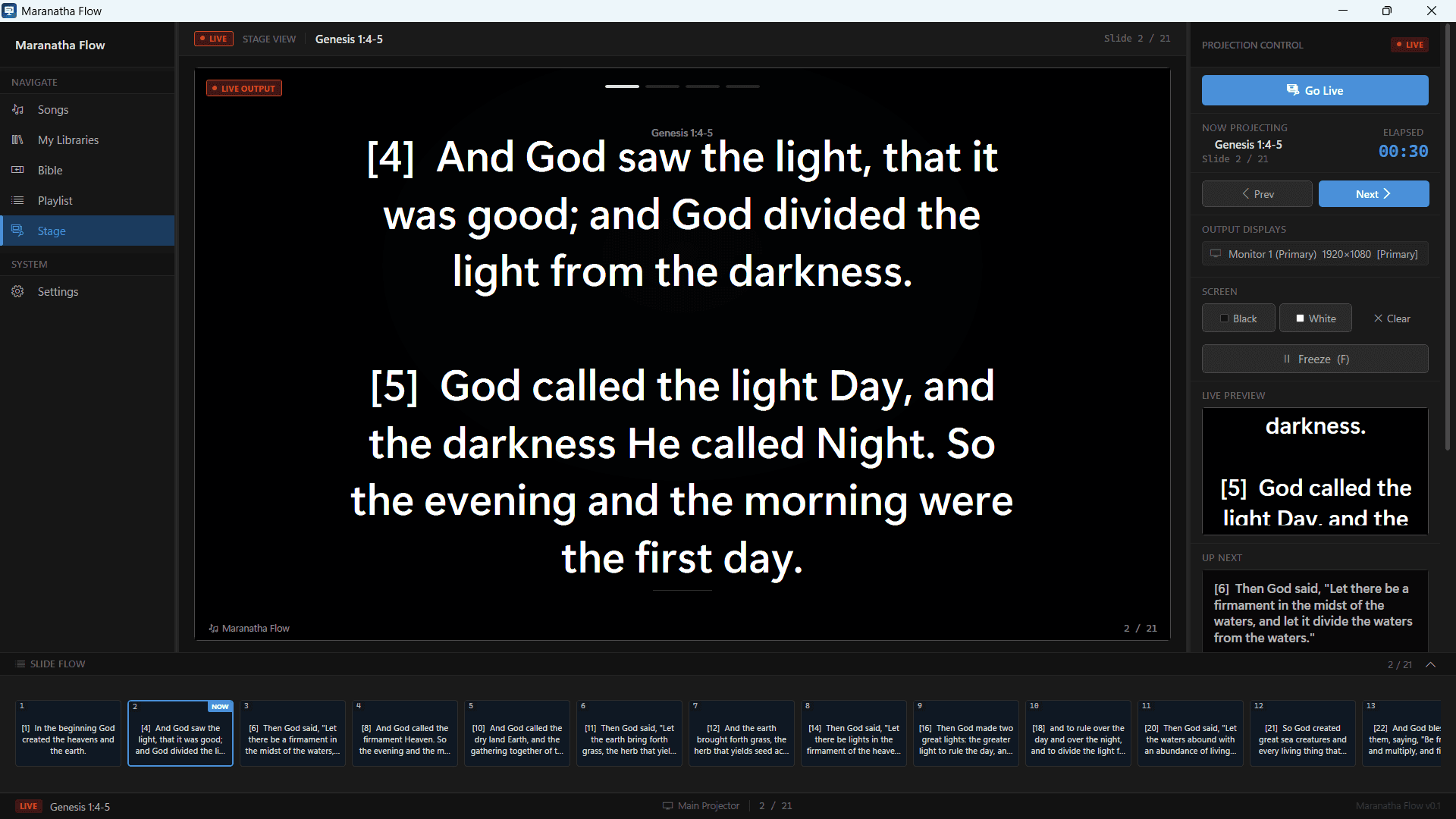
Current output, next item, timing, and the running order stay visible during a service.
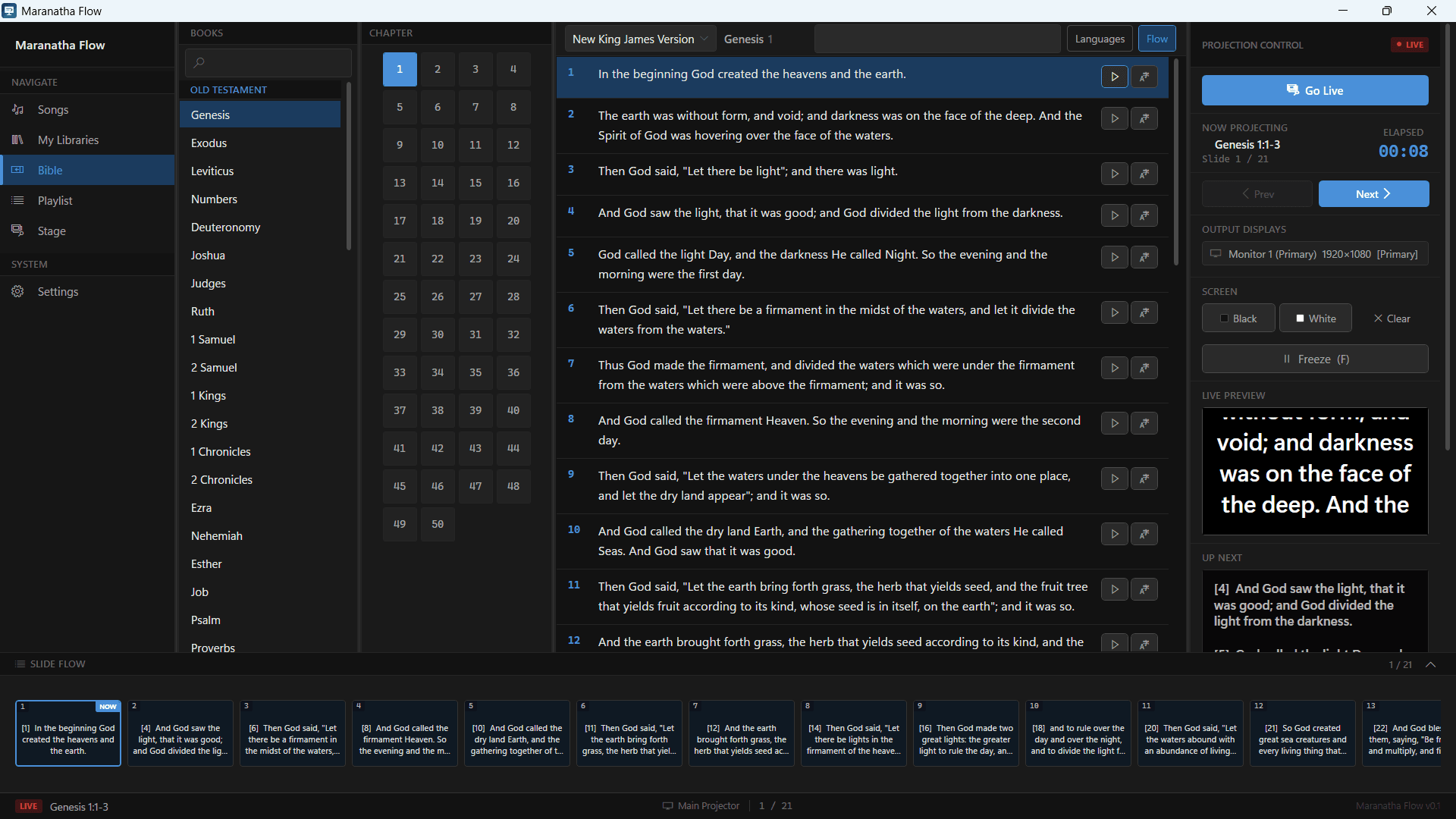
Passage search and verse selection feed directly into the presentation flow.
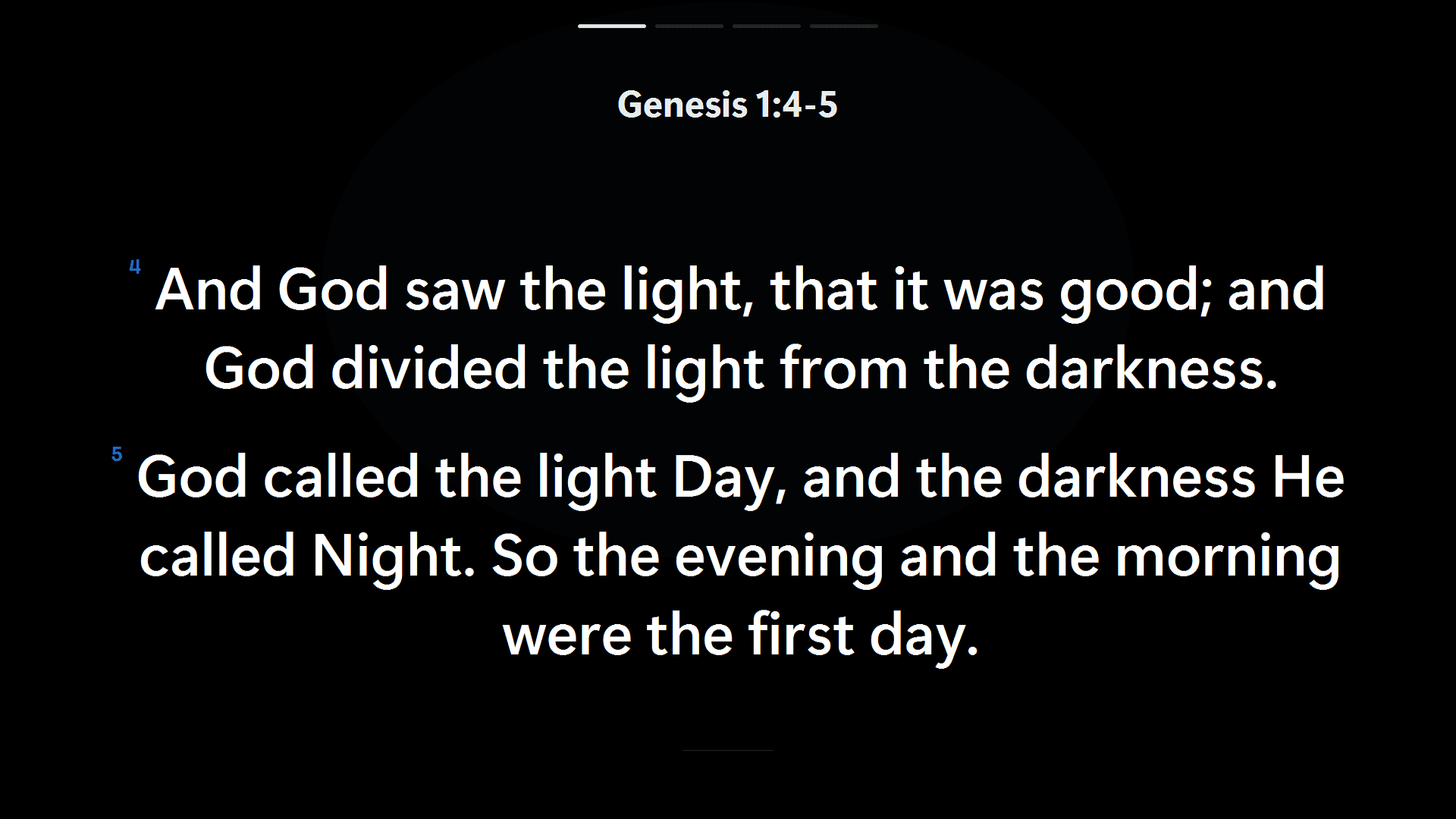
The congregation sees a calm, readable output while the operator retains the controls.
The problem
Preparing church projection with PDFs and general-purpose presentation tools meant repeatedly finding lyrics and passages, building slides, arranging the service order, and managing a second screen. The available workflow did not fit the local song library, four-language content, or live operator needs.
How the parts work together
Think of it as presentation software tailored to a church service. Maranatha Flow combines a searchable library of more than 6,000 songs, Bible content in four languages, service playlists, a dedicated operator window, and a separate audience projection surface.
- 01
- 02
- 03
- OPENINGReady
- CURRENTLive
- NEXTQueued
The operator keeps search, order, context, and the next cue.
Where I contributed
- 01
Created the product independently around an observed, recurring church presentation workflow.
- 02
Built the WPF application, data layer, projection behavior, installer tooling, and automated test coverage.
- 03
Structured more than 6,000 songs and four-language Bible content while keeping operator and audience needs separate.
Decisions that shaped it
Two surfaces, two jobs
Keep planning and context on the operator display while the audience sees only the intended projection output.
Local by default
Package the application and core data for dependable use without a live service dependency.
Test the corpus
Automated checks cover seed data, migrations, corpus constraints, performance, and view-model behavior.
Result and scope
The working product brings a library of more than 6,000 songs and Bible content in four languages into a focused Windows delivery model with encrypted local storage, multi-display behaviour, installer tooling, and automated tests.
Reference material
Presenter/output model
The portfolio diagram explains how one service plan drives distinct operator and audience surfaces.
Repository and tests
Source structure verifies the WPF architecture, encrypted SQLite, datasets, packaging, and automated checks.
Technology in context
- .NET 10
- WPF
- C#
- MVVM
- Entity Framework Core
- SQLite / SQLCipher